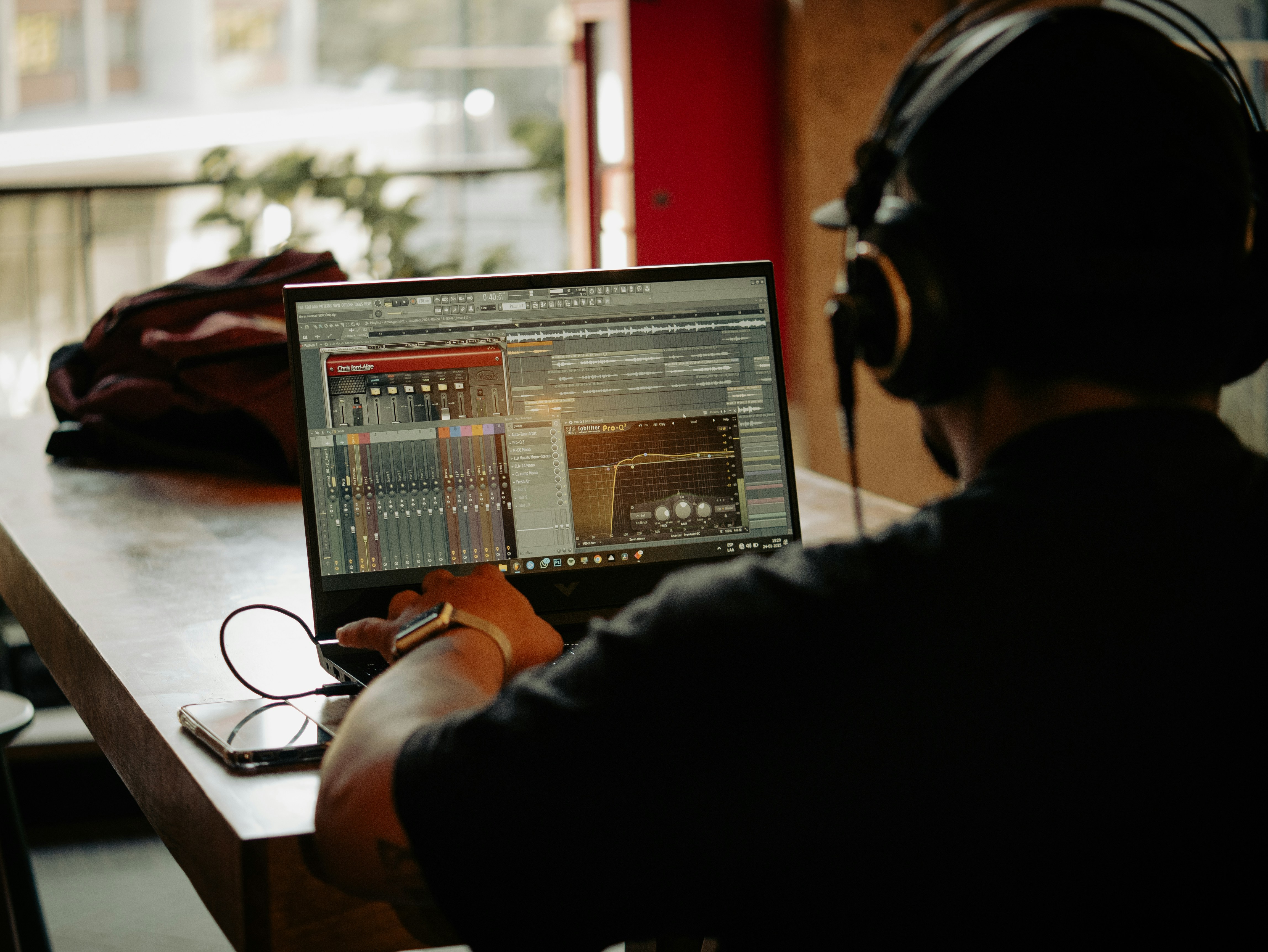
If you’ve been searching for how to mix rap vocals in FL Studio, you’ve probably noticed one thing already:
Most tutorials either make things way too complicated… or they give you cookie-cutter presets that make every vocal sound the same.
And honestly?
That’s a huge problem for independent artists in 2026.
Some of the biggest independent artists on the internet are recording full songs, mixing vocals, and dropping Spotify-ready records entirely inside FL Studio.
No million-dollar studio.
No label budget.
No engineer standing behind them adjusting knobs.
Just:
a laptop 💻
a microphone 🎤
a decent vocal chain
and enough consistency to keep improving
We’ve watched independent artists completely transform their sound once they finally learned how to properly record and mix vocals at home.
Because here’s the truth:
Most artists aren’t losing because of their microphone.
They’re losing because their workflow is messy.
Vocals too loud.
Too much reverb.
Harsh EQ.
Terrible recording environments.
Latency issues.
Overprocessed presets.
And after all that?
The vocals still don’t sit right in the beat.
So let’s fix that.
Why FL Studio Is Still One of the Best DAWs for Rap Vocals 🚀
There’s a reason so many rappers still use FL Studio in 2026.
The workflow is fast.
And for rap music, speed matters more than people think.
Rap is energy-based music.
When inspiration hits, you don’t want to:
troubleshoot routing
build mixer chains from scratch
spend 40 minutes configuring plugins
You want to hit record immediately.
That’s where FL Studio shines.
Over the years, Image-Line has massively improved:
recording stability
mixer organization
latency handling
playlist workflows
stem exporting
audio comping
And now?
FL Studio is fully capable of producing industry-level vocals.
The bigger issue is whether artists understand how vocals are supposed to fit inside a mix.
Because rap vocals are different from almost every other element in music.
Rap Vocals Need Space 🎧
A lot of artists try to force vocals through the beat instead of blending them inside the beat.
Huge mistake.
Rap vocals live heavily in the:
mids
upper mids
presence frequencies
Guess what else lives there?
Synths.
Pianos.
Pads.
Leads.
Bright melodies.
So when everything fights for the same frequencies…
Your mix starts sounding crowded and exhausting.
That’s why professional mixes often sound:
cleaner
wider
simpler
easier to listen to
Not because they have more plugins.
But because they have better space management.
Sometimes the best vocal mix decision is actually:
lowering melodies slightly
muting unnecessary layers
reducing stereo clutter
simplifying the beat arrangement
A clean vocal mix starts with a clean instrumental.
Step 1: Get a Clean Recording First 🎙️
Before you touch any plugin…
Your recording quality matters most.
Seriously.
No plugin can fully repair:
clipping
distorted vocals
terrible mic placement
loud background noise
bad room reflections
You do not need a $3,000 studio setup.
But you do need:
proper gain staging
decent microphone positioning
a quiet recording space
controlled reflections
A clean recording with budget equipment will almost always sound better than a bad recording with expensive gear.
If you’re still building your setup, definitely read our full guide here:
👉 How to Record Rap Vocals at Home (Beginner-Friendly Setup)
That article breaks down:
microphones
interfaces
pop filters
room treatment
headphones
beginner setup mistakes
—all specifically for independent rappers and singers recording at home.
Step 2: Set Your Recording Levels Correctly 🔊
One of the biggest beginner mistakes?
Recording vocals way too loud.
People think:
“If it’s louder, it sounds more professional.”
Not true.
If your vocals are constantly hitting the red, you’re already damaging the recording before mixing even starts.
A better target is:
around -12 dB to -6 dB
That gives your vocals enough headroom for:
EQ
compression
saturation
mastering
Modern engineers actually prefer cleaner recordings with more headroom.
Because clipped vocals become harsh fast once compression gets added later.
And trust us…
Distorted rap vocals rarely sound good unless distortion was intentional.
Step 3: Remove Background Noise 🧼
Even decent home recordings usually contain:
fan noise
room hiss
computer hum
air conditioning
electrical buzz
Thankfully, FL Studio’s Edison plugin is still one of the best built-in cleanup tools available.
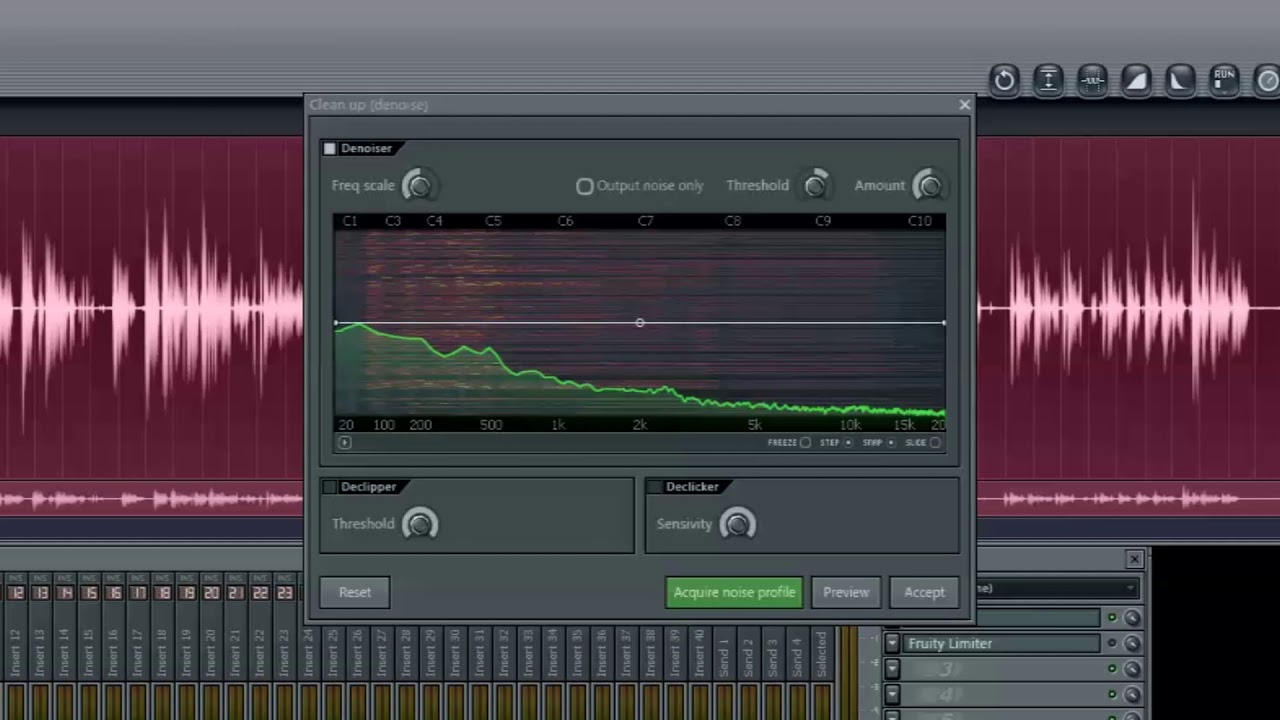
You can:
remove static
capture noise profiles
trim silence
clean breaths
remove clicks and pops
The important thing is moderation.
Too much noise reduction creates that weird robotic sound nobody wants.
Sometimes a simple noise gate works better than aggressive cleanup processing.
If you want to dive deeper into FL Studio’s audio tools, the official:
is actually surprisingly helpful.
Step 4: EQ Your Vocals Properly 🎚️
This is where a lot of artists completely destroy their vocals.
Especially when using random YouTube presets.
Not every vocal needs:
extreme brightness
massive bass cuts
harsh “radio voice” EQ
Every voice is different.
But generally speaking…
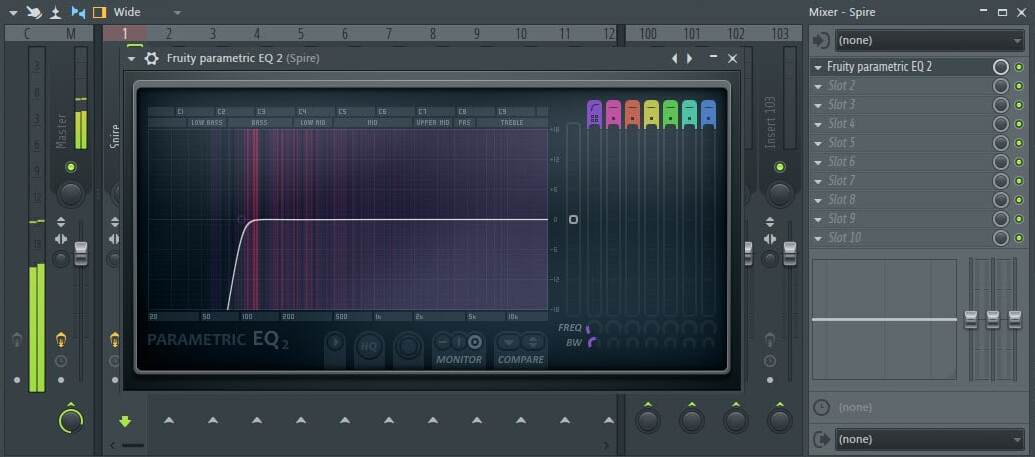
A solid starting point inside Fruity Parametric EQ 2 is:
high-pass around 80–120Hz
reduce muddiness around 200–500Hz
tame harshness around 2k–5kHz
lightly boost clarity if needed
The keyword here is:
lightly
One of the biggest mistakes newer artists make is overprocessing vocals until they sound:
thin
lifeless
brittle
harsh
Sometimes the cleanest mixes use surprisingly little EQ.
Step 5: Compress Your Vocals for Consistency ⚡
Compression helps your vocals stay controlled and present inside the beat.
Without compression:
quiet words disappear
loud phrases jump out
performances feel inconsistent
FL Studio’s Fruity Limiter still works perfectly fine for vocal compression.
Start simple.
A good beginner starting point:
Ratio: 2:1 or 3:1
Attack: 15–25ms
Release: 70–120ms
Then adjust by ear.
Too much compression can completely kill the energy of a rap vocal.
And energy matters.
Especially in modern:
trap
drill
melodic rap
rage beats
underground hip hop
Professional vocals usually use multiple lighter compression stages instead of one super aggressive compressor smashing everything.
That’s a huge reason professional mixes sound smoother.
Step 6: Stop Drowning Your Vocals in Reverb 🌊
This is probably the #1 home studio mistake.
Too much reverb.
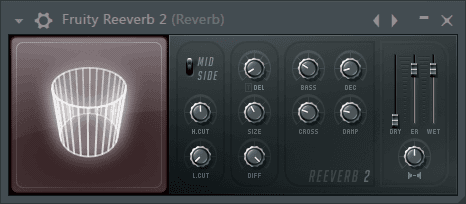
A lot of artists hear giant space and think:
“That sounds professional.”
Until the mix turns muddy.
Most modern rap vocals are actually way drier than people realize.
Especially:
trap
drill
rage
punch-heavy melodic rap
Instead of huge reverbs:
use shorter rooms
reduce wet levels
cut low frequencies from the reverb
keep stereo width controlled
Sometimes delay works better than reverb for rap vocals.
Small details like this make vocals sound cleaner instantly.
Step 7: Add Saturation Carefully 🔥
Saturation can help vocals:
feel louder
cut through the beat
sound more aggressive
gain texture
But subtlety matters.
A tiny amount of saturation can make vocals feel alive.
Too much?
Now your vocals sound harsh and amateur.
Plugins like:
Fruity Fast Dist
Blood Overdrive
Maximus
Soundgoodizer (carefully 👀)
can all work if used lightly.
The keyword is:
subtle
Most great vocal chains are doing less than people think.
Step 8: Vocal Templates Can Save You HOURS ⏳
One thing smart artists figured out a long time ago:
Rebuilding vocal chains every session wastes creative energy.
That’s why vocal templates became so popular.
Good templates help you:
record faster
stay inspired
avoid technical distractions
maintain consistency
improve workflow
Especially if you’re still learning how mixing works.
That’s exactly why we created our:
They’re built specifically for independent artists recording from home who want cleaner vocals without spending years learning advanced engineering first.
Step 9: Mix Vocals in Context — Not Solo 🎵
This is huge.
Do not spend an hour EQing vocals completely soloed.
Vocals can sound weird by themselves and still sound perfect inside the full beat.
The real question is:
Does the vocal fit the song?
That’s what matters.
Professional engineers constantly switch between:
solo
full mix
mono
low-volume playback
Because vocals exist inside the music.
Not separately from it.
One underrated trick?
Temporarily check your mix in mono.
If your vocals disappear or lose clarity, your stereo balance probably needs work.
Even engineers at companies like iZotope regularly emphasize mono compatibility and vocal clarity in modern mixing workflows.
Final Thoughts 🎤
Recording rap vocals in FL Studio in 2026 is honestly easier than ever.
The tools are there.
The plugins are there.
The information is there.
What separates artists now is:
consistency
taste
vocal clarity
arrangement decisions
workflow efficiency
recording quality
You do not need a massive studio anymore.
But you do need to understand how vocals fit into a professional record.
So keep it simple.
Focus on:
clean recordings
controlled processing
clarity
performance energy
And remember:
A great performance will always matter more than expensive plugins.
If you’re serious about improving your sound, make sure you also check out:
for beats, artist resources, vocal templates, and more tools built specifically for independent artists trying to level up from home.